
Learn
Build better sites, faster
Short guides to every part of Spearbot, and how to write prompts that get a great result the first time.
Start here
Your first site in four steps
- 1Describe your business in a sentence or two
- 2Ask for changes in plain words
- 3Share a review link and collect comments
- 4Publish on your own domain
Getting started
- IntroductionWhat Spearbot is, what it builds, and how a project works. 1 min readRead
- Editing your siteChat edits, quick fixes, the code editor and version history. 1 min readRead
- Starting from a website linkRebuild your own site with its real content, or borrow another site's look. 1 min readRead
- Templates and componentsStart from a finished site, or drop ready-made sections into the page you have. 1 min readRead
Build and launch
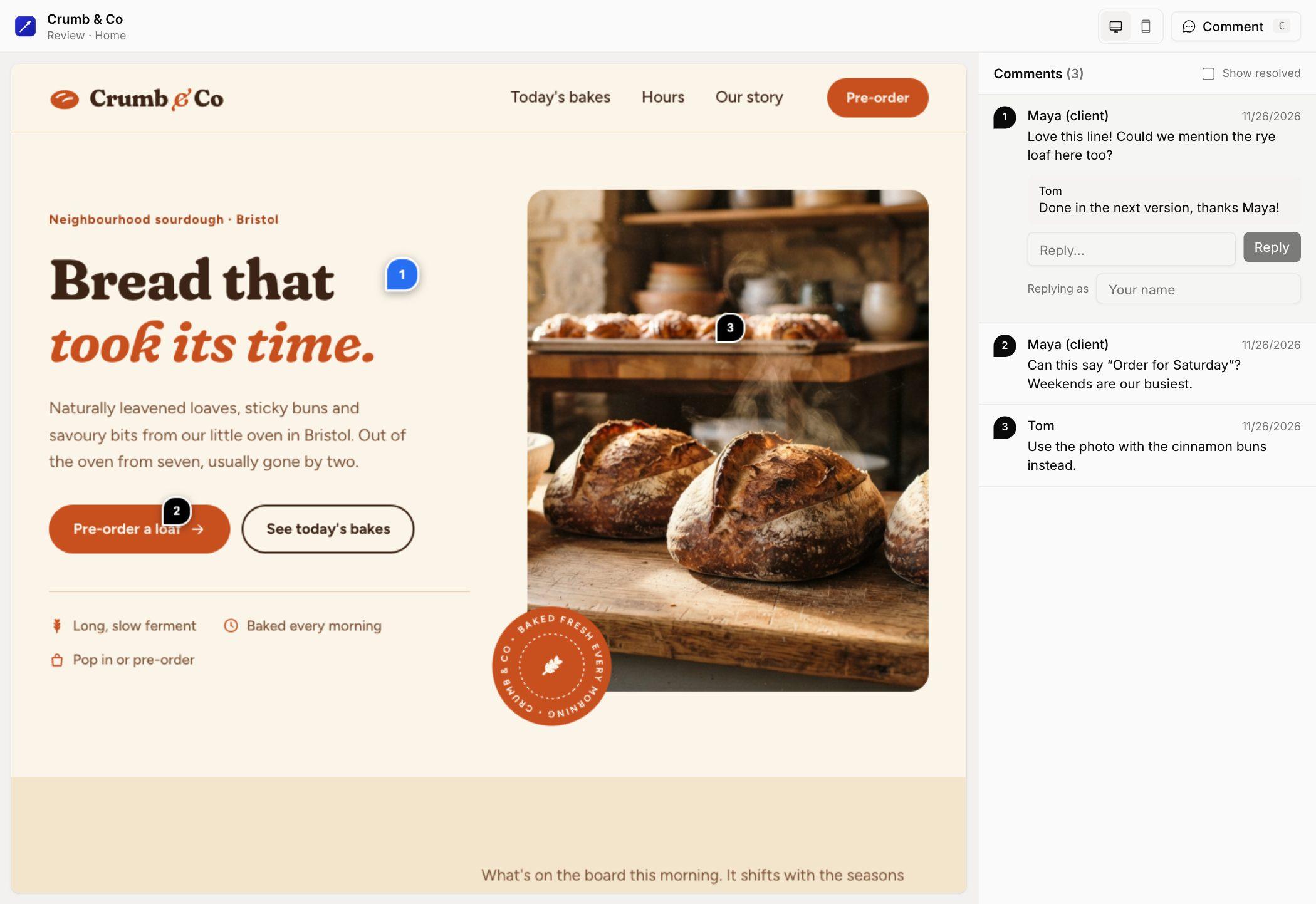
- Review links and commentsGet feedback pinned to the page, then fix it in one click. 1 min readRead
- Publishing and custom domainsGo live on a free address, then connect your own domain. 1 min readRead
- SEO and social sharingTitles, descriptions, share images and search-friendly structure. 1 min readRead
- Website checkScan any existing site, see what to fix, and fix it with Spearbot. 2 min readRead
- Funnels, tracking and ad spendBuild a funnel, see where visitors drop off, and what each lead costs. 1 min readRead
- Sharing and remixingShare a project to the gallery, and remix what others made. 1 min readRead
Prompting
- Tips for promptingWhat to put in a first prompt to get a great first version. 1 min readRead
- Prompting typographyDescribe type by character, not just font names. 1 min readRead
- Prompting colour and styleGet a distinctive look instead of generic AI design. 1 min readRead
- Prompting layoutDescribe structure and hierarchy so sections feel designed. 1 min readRead
- Prompting animationAdd motion that feels intentional and stays fast. 1 min readRead
- Photos and imagesUse free stock photos, generated images or your own. 1 min readRead
Prompt recipes
Copy one into the chat and adjust the details.
- Editing your site
On the home page, make the hero photo full-width on phones and move the opening hours above the map.
- Templates and components
Add @pricing-tiers after the features section, with our three plans
Says where it goes and what goes in it.
- Templates and components
Replace the FAQ with @faq-accordion @copywriting
Components and skills combine.
- SEO and social sharing
Get the site ready for Google @seo
- Tips for prompting
A one-page site for Crumb & Co, a sourdough bakery in Bristol, for locals who pre-order for the weekend: today's bakes, opening hours (Tue–Sun 7–2), a pre-order form and the bakers' story. Warm, playful and appetising.
- Prompting typography
Make the headings feel more premium: a high-contrast serif for headlines, a clean sans for body text @typography